$1 to Join + 50% Off Dues 'Til 2027
Use Code OCTDEAL26 See details
HOW TO ADD OR REMOVE MEMBERS ON YOUR MEMBERSHIP
STEP 1: LOGIN
The quickest way to update your membership is through the In-Shape app or Member Hub by following these steps:
Need help downloading the app or logging in? Click here.
STEP 2: FOLLOW THESE INSTRUCTIONS
ONLY MAIN MEMBER & ACCOUNT MANAGERS CAN ACCESS AND MAKE THE FOLLOWING CHANGES.
I WANT TO ADD MEMBERS TO MY MEMBERSHIP
|
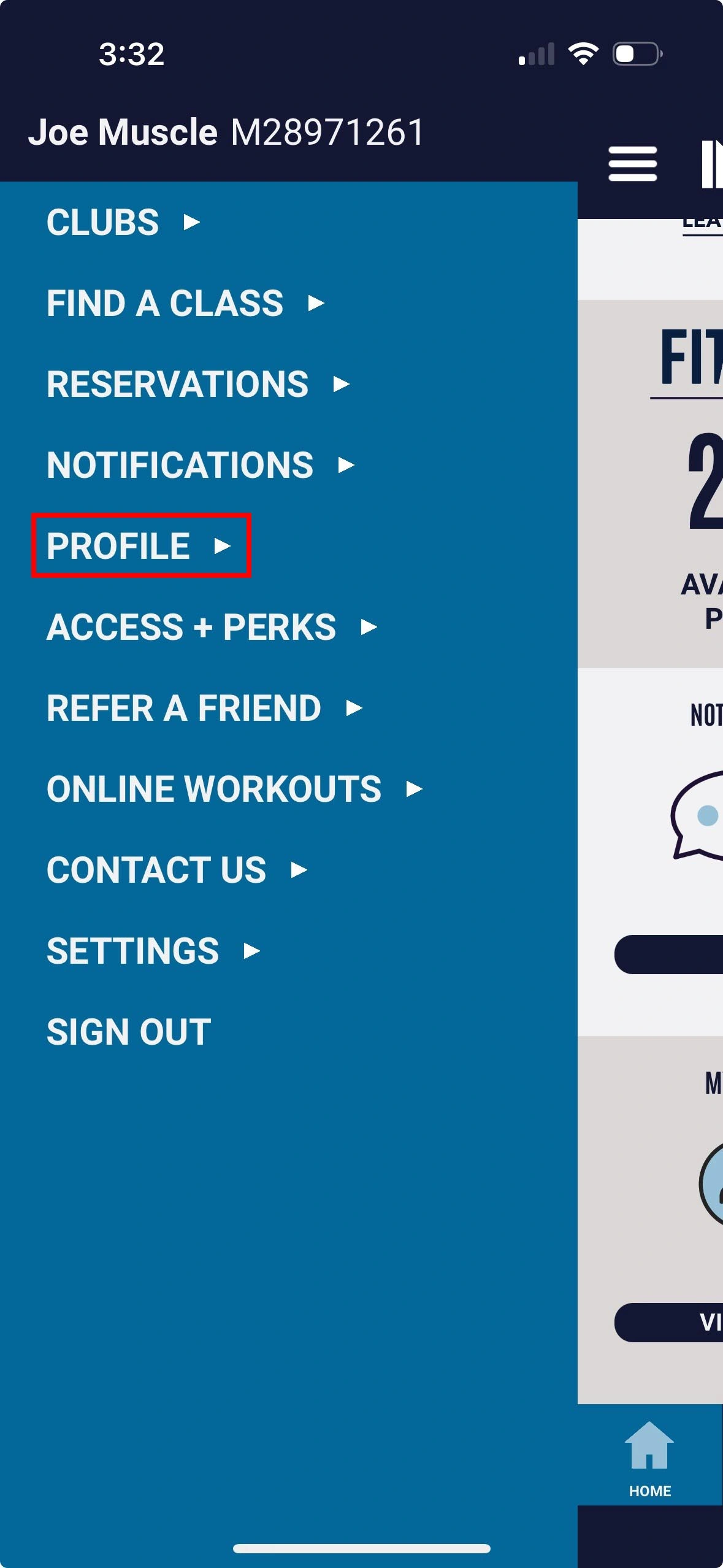
1. Select Profile |
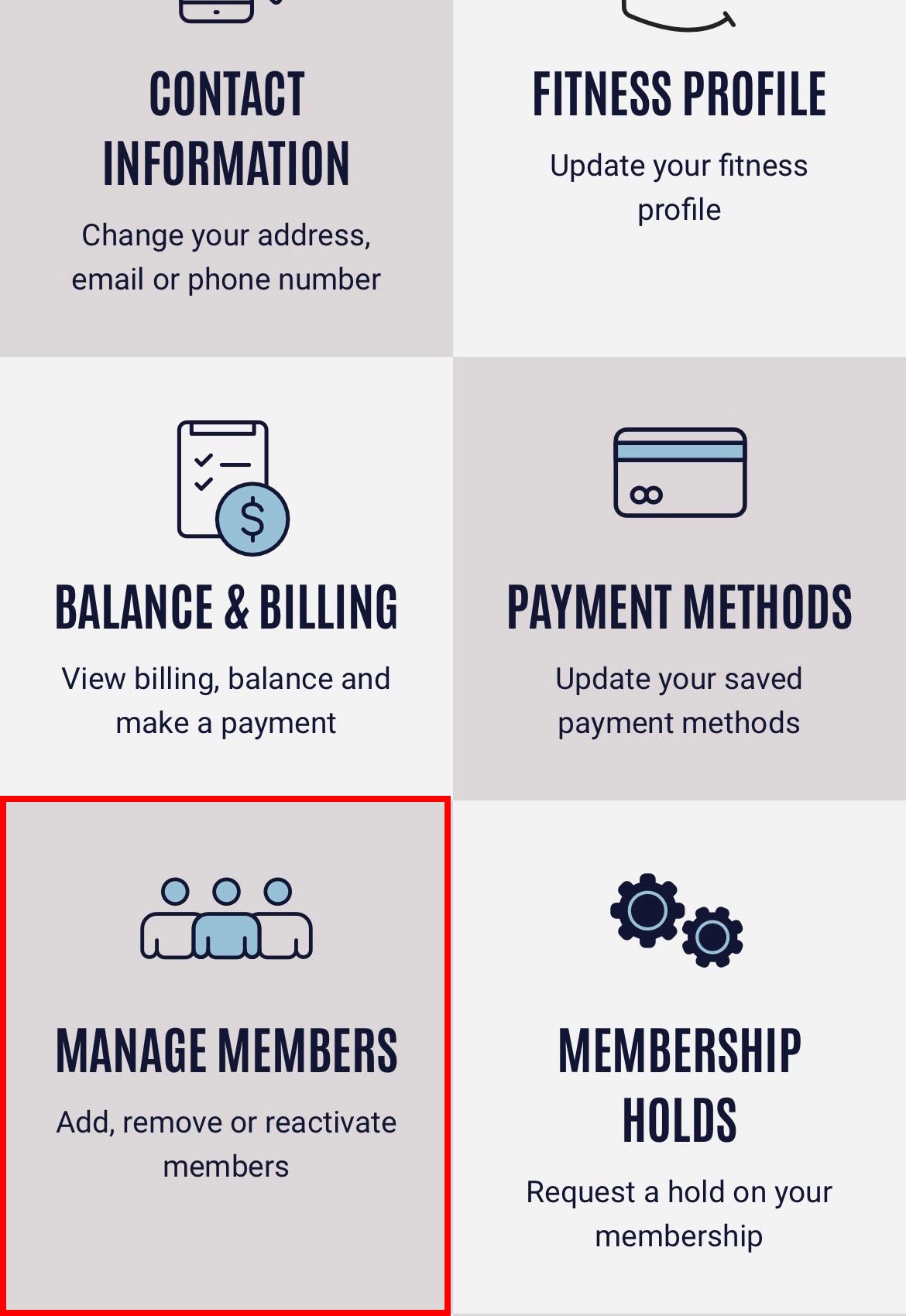
2. Select Manage Members option |
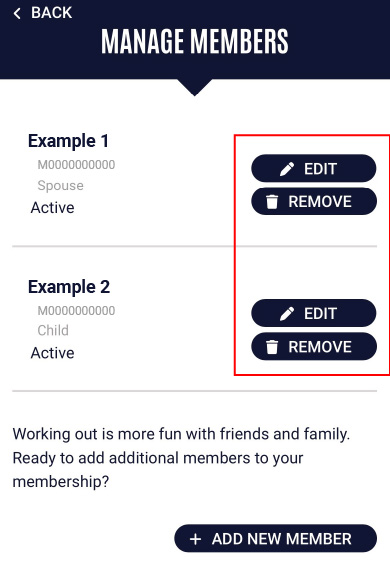
3. Select Add New Member |
I WANT TO EDIT/REMOVE MEMBERS ON MY MEMBERSHIP
|
1. Select Profile |
2. Select Manage Members option |
3. Tap Remove |
Please note there is a $10 processing fee to remove and add members to a membership. (max fee is $10 per day)