HOW TO MAKE A RESERVATION
STEP 1: LOGIN
Login to the In-Shape app or Member Hub to make these changes.
Need help downloading the app or logging in? Click here.
STEP 2: FOLLOW THESE INSTRUCTIONS
You do not need a reservation to visit the club. Reservations are required for studio classes and select amenities including pool lanes, tennis, pickleball and racquetball courts.
-
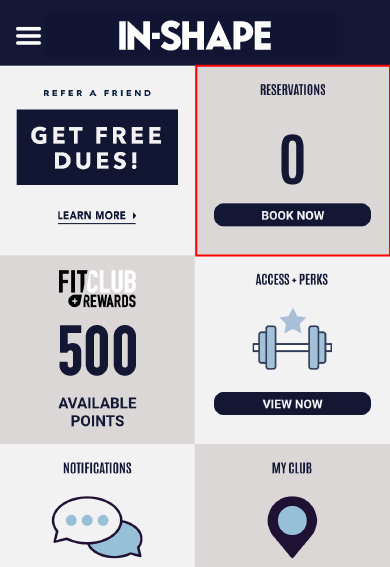
- Tap Book Now in the Reservations tile on the home screen
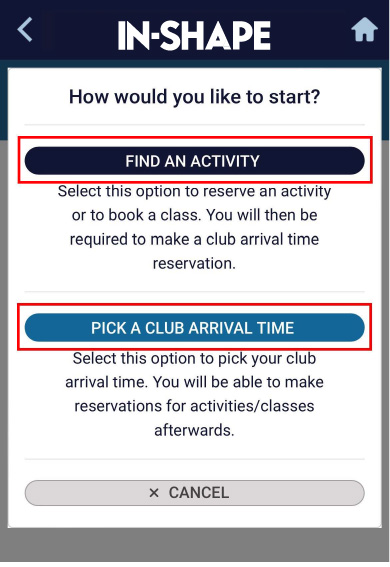
Tap the + Add Reservations button - Select Find An Activity
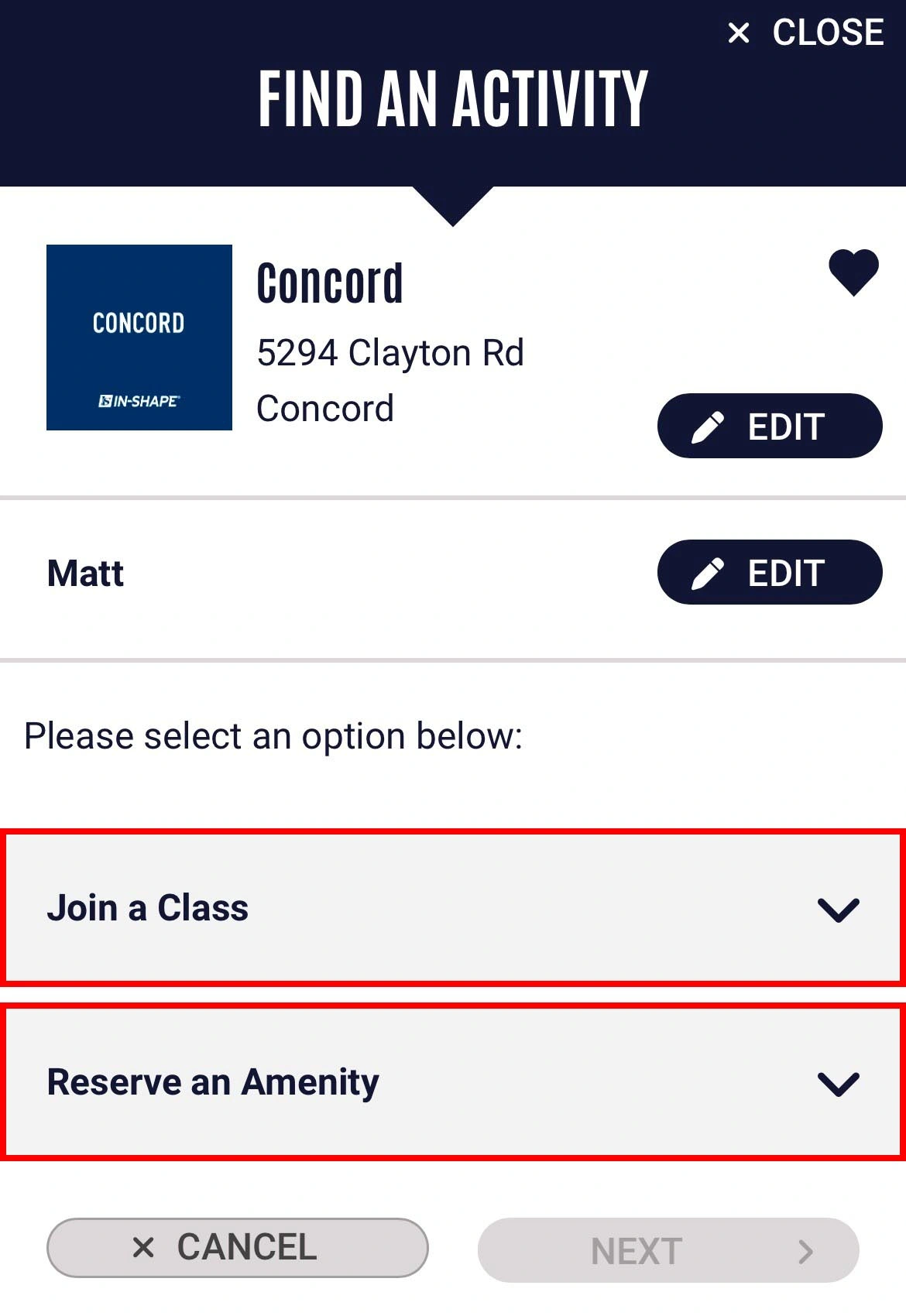
- Confirm the club location and member(s) you’d like to make a reservation for. By default, the main member and home club are selected. Tap Join a Class to select a studio class or Reserve an Amenity to select an amenity, then tap Next
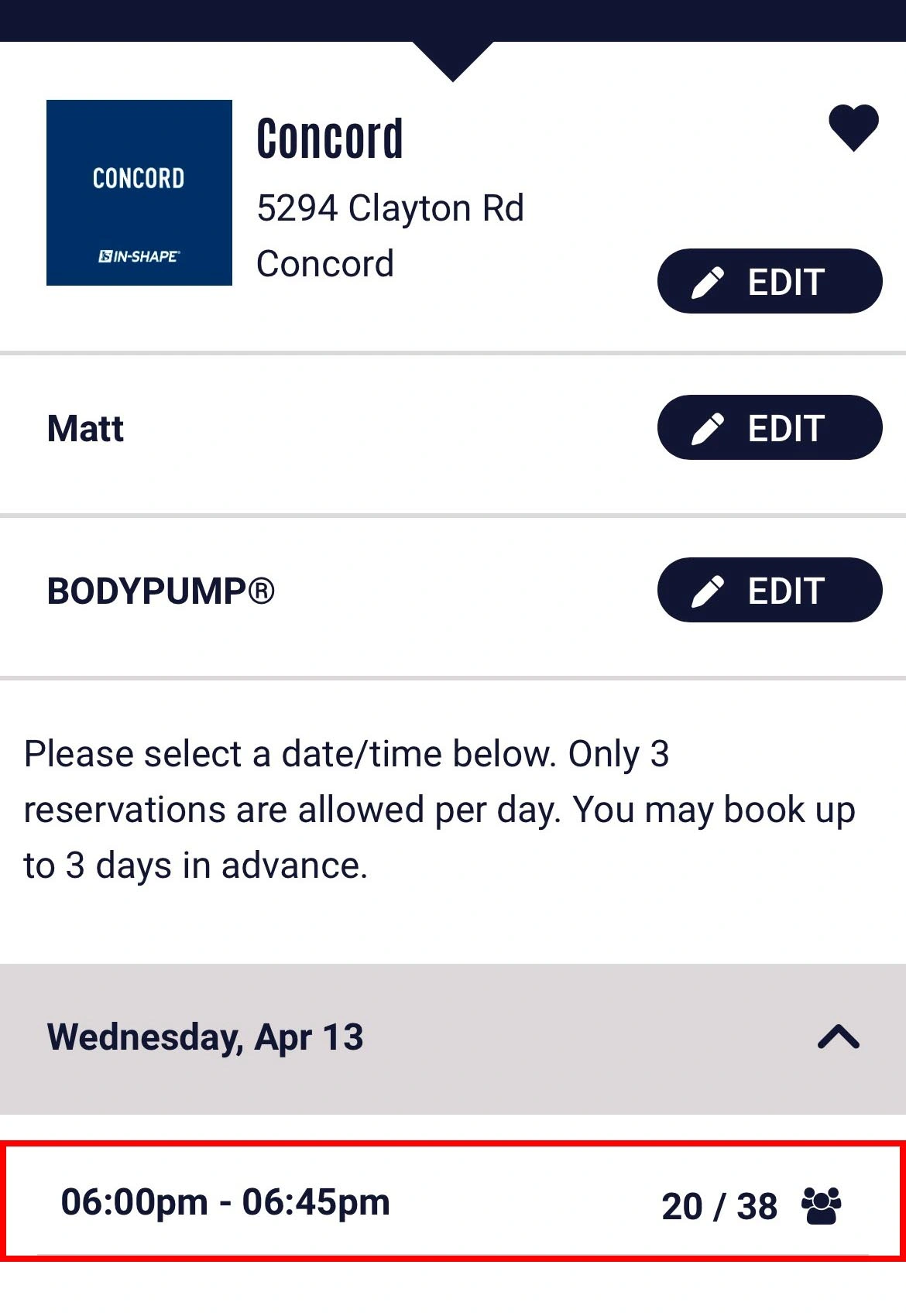
- Select the date and time you'd like to book your class or amenity, then tap Next
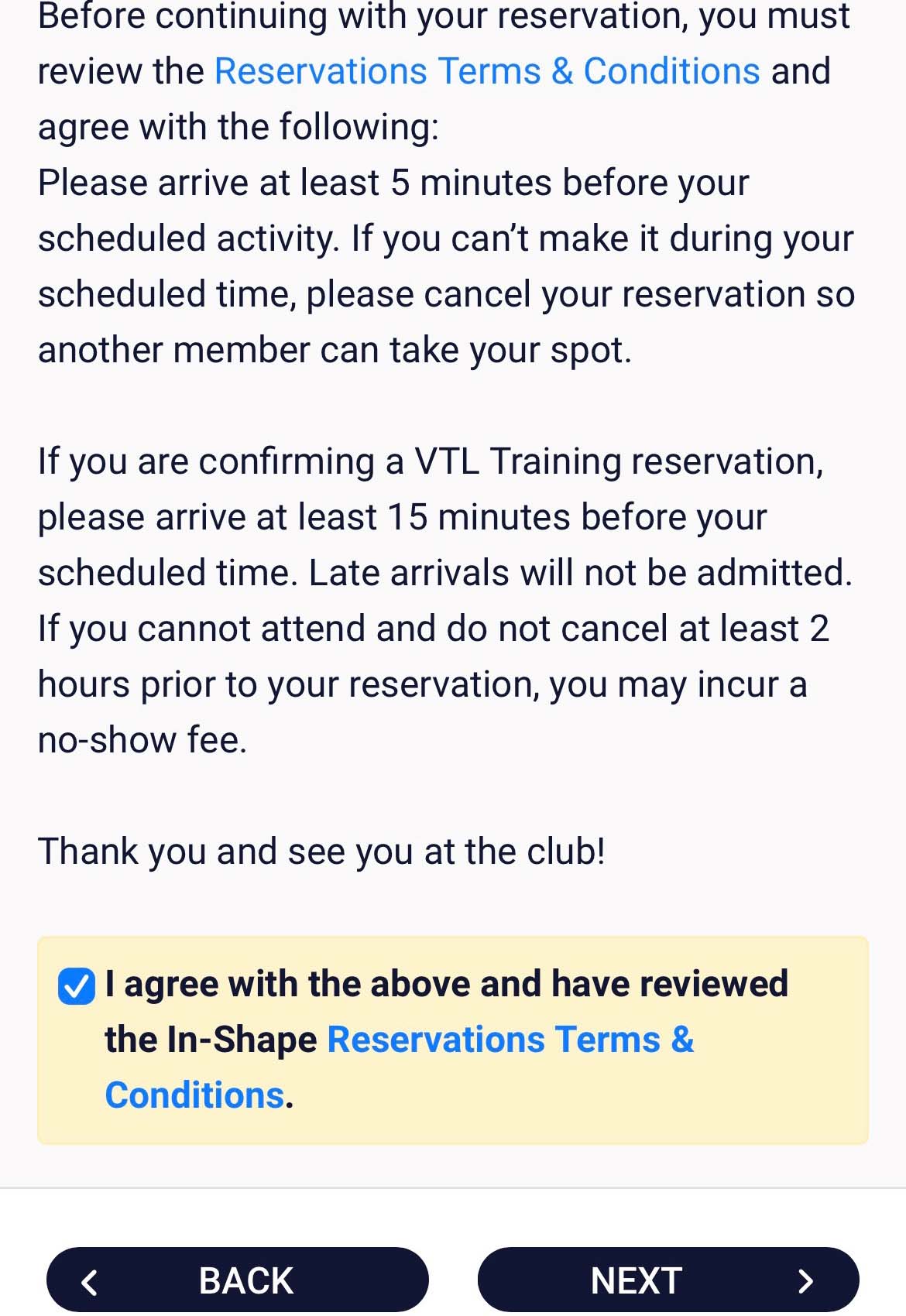
- Review and agree to the Reservations Terms & Conditions and click Next
- Your reservation is now complete. You will see a confirmation message and receive an email confirmation. You can edit/cancel your reservation any time before your reservation begins.
- Tap Book Now in the Reservations tile on the home screen

RESERVATION FAQS
WILL I NEED A RESERVATION TO VISIT THE CLUB?
WILL I NEED A RESERVATION TO VISIT THE CLUB?
I DON'T SEE THE RESERVATIONS OPTION IN THE APP, WHAT'S GOING ON?
I DON'T SEE THE RESERVATIONS OPTION IN THE APP, WHAT'S GOING ON?


I DON'T HAVE A SMARTPHONE, HOW DO I MAKE A RESERVATION?
I DON'T HAVE A SMARTPHONE, HOW DO I MAKE A RESERVATION?
WHAT HAPPENS IF I CAN’T MAKE IT TO THE CLUB AND I HAVE A RESERVATION FOR AN AMENITY OR CLASS?
WHAT HAPPENS IF I CAN’T MAKE IT TO THE CLUB AND I HAVE A RESERVATION FOR AN AMENITY OR CLASS?
WHAT HAPPENS IF I HAVE A RESERVATION FOR AN AMENITY OR CLASS AND DON’T SHOW UP?
WHAT HAPPENS IF I HAVE A RESERVATION FOR AN AMENITY OR CLASS AND DON’T SHOW UP?